One tap
Tap a shuttle and it flies to a free dock. A full shuttle takes off and frees its dock.
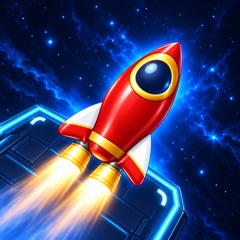
Send shuttles to the docks and help astronauts board shuttles of their color.
Coming soon: Google Play

Welcome to Cosmoport! The launch deck is crowded: shuttles point every way and block each other. Launch them one by one, and the astronauts board the shuttles of their color.
Tap a shuttle and it flies to a free dock. A full shuttle takes off and frees its dock.
Order is everything: launch the wrong shuttle and the first in line has nowhere to board.
Every level runs on a clock: the faster you are, the more stars you earn. Your best time is remembered.
The deck grows and the colors multiply. Made a mistake? Undo your last move by watching an ad.
In the app, rewarded ads are optional and only undo a move. From level 10, a full-screen ad sometimes appears between levels — at most once per 10 new levels. No sign-up needed. The browser version on this site has no ads and keeps your progress in the browser.
The game opens right on this site — no app to install, no sign-up. The first launch downloads the game files. There are no ads, and your progress is saved in this browser. Play with a mouse on a computer or by touch on a phone or tablet.
To play offline, install the app: App Store ↗ · RuStore ↗
If all four docks are taken and the first in line has nowhere to board, the level is lost — you can start it again right away. In the app you can undo your last move by watching an ad.
The levels never end: the deck grows, more colors appear, and you earn stars for speed.
In a way: like car parking puzzles, the shuttles block each other and the order matters. But you also have to board astronauts by color and beat the clock.
The game is completely free, with no purchases. In the app you can choose to watch an ad for a reward; the browser version has no ads at all.
Yes. Press “Play in browser” and the game opens right on this site, on a computer, phone or tablet — no app to install, no sign-up. The first launch downloads the game files, which can take a moment.
The app keeps progress on your device; the browser version keeps it in your browser. If you clear the site’s data or open the game in another browser, it starts from level one. App and browser progress are not linked.
For iPhone and iPad on the App Store, for Android on RuStore. Google Play is coming soon.
По-русски: Cosmoport — головоломка на время. Русская страница →